 LinkJig
Open a TCP server on an ESP8266, from your phone
Once your ESP8266 is on the network, other devices can connect to it over TCP. LinkJig opens the server with one tap and shows every connection and message in the terminal.
This is a real session: an ESP-01S with AT firmware 2.2.0 on an Android phone over USB OTG. The module had already joined the network (Join Wi-Fi with an ESP8266). A PC on the same network connected with a short script.
Open the server
- Open Modules, pick ESP8266, then Open a TCP server.
- Set the Port (333 here) and tap Open server.
- The card shows Server is listening and the module's address. Tap Show in terminal.
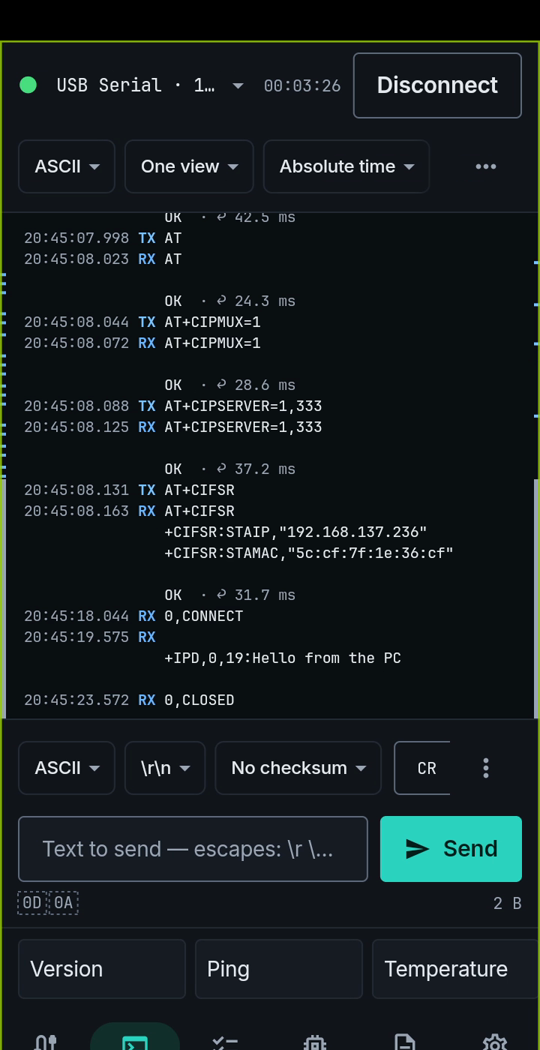
20:45:08.044 TX AT+CIPMUX=1
20:45:08.088 TX AT+CIPSERVER=1,333
20:45:08.131 TX AT+CIFSR
20:45:08.163 RX +CIFSR:STAIP,"192.168.137.236"
20:45:18.044 RX 0,CONNECT
20:45:19.575 RX +IPD,0,19:Hello from the PC
20:45:23.572 RX 0,CLOSED
0 is the connection number, 19 the number of bytes received.
Limits
- Recorded with AT firmware 2.2.0; other AT versions may answer differently.
- The module must join a network first.
- The server runs on the module; your phone only sends the AT commands and shows the replies.
Try it
Watch the demo on YouTube. LinkJig is on Google Play and the Microsoft Store.