 LinkJig
Join Wi-Fi with an ESP8266, from your phone
Before an ESP8266 can talk to anything on your network, it has to join it. LinkJig sends the AT commands for you and shows the address the module gets.
This is a real session: an ESP-01S with AT firmware 2.2.0, connected to an Android phone over USB OTG and a USB-UART adapter. The network is a PC's mobile hotspot made for the recording.
Join a network
- Plug in the adapter and open your serial device.
- Open Modules, pick ESP8266, then Join a Wi-Fi network.
- Enter the Network name and Password, then tap Connect.
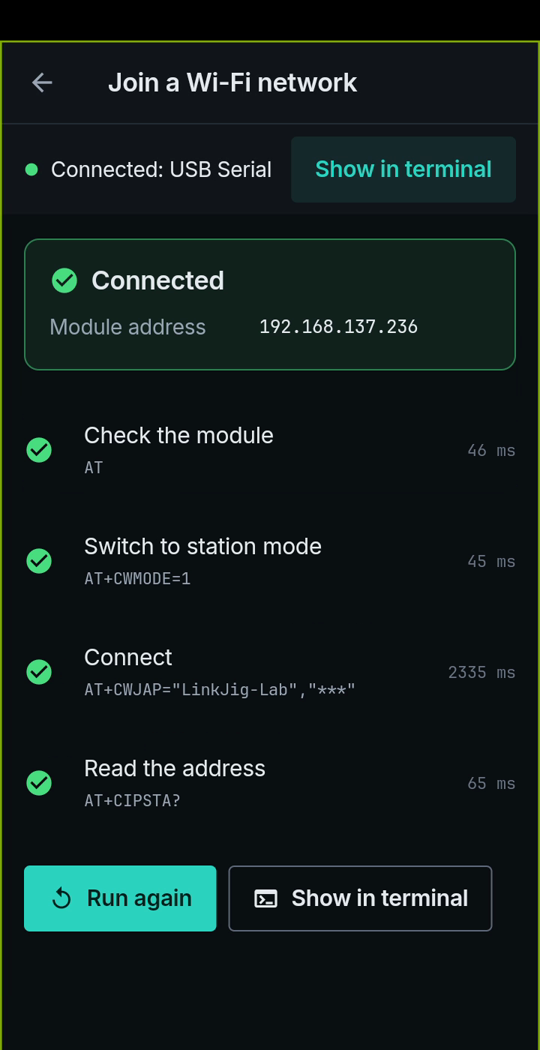
Four commands
| Command | What it does | Time |
|---|---|---|
AT | Checks that the module answers | 46 ms |
AT+CWMODE=1 | Switches to station mode | 45 ms |
AT+CWJAP="LinkJig-Lab","***" | Joins the network | 2335 ms |
AT+CIPSTA? | Reads the address | 65 ms |
The password is hidden on screen and in the log.
Limits
- Recorded with AT firmware 2.2.0; other AT versions may answer differently.
- The ESP8266 only joins 2.4 GHz networks.
- AT firmware usually saves the network in the module's flash, so it may rejoin by itself after a restart.
Try it
Watch the demo on YouTube. LinkJig is on Google Play and the Microsoft Store.